
How Much Should General Contractors Spend on Google Ads?
A practical breakdown of how Google Ads budgets work for general contractors: daily and monthly spending limits, how Smart Bidding reacts to budget changes, the Search Lost IS (budget) signal, and how to split and scale budget by service.
A general contractor asking how much to spend on Google Ads is usually asking a narrower question than it sounds like. The decision to run paid search has already been made. What is actually missing is the number that goes in the budget field, and some way to know whether that number is too low, too high, or roughly right.
That is a different question from how much a construction company should spend on marketing overall, which depends on revenue targets, channel mix, and growth stage, covered in the contractor marketing budget guide. This article stays one level down, inside the Google Ads account itself: what the daily budget number actually controls, how it behaves against Google's own spending rules, how it interacts with Smart Bidding, and how to tell when budget, rather than something else, is the real limit on performance.
For the full strategy this fits into, see the general contractor marketing strategy guide.
What a Google Ads Budget Actually Controls
A Google Ads budget sets a ceiling on how much a campaign can spend. It does not control who sees the ad, how relevant the keywords are, how well the landing page converts, or how good the offer is. Those are the job of keyword selection, negative keywords, ad copy, audience settings, and the page the click lands on.
That distinction matters because contractors frequently reach for budget as the first lever to pull when a campaign underperforms, when the actual problem is targeting, message match, or lead follow-up. The sections below cover how to tell which situation you are actually in.
Daily Budget vs Monthly Spending Limit
The number a contractor enters is an average daily budget. Google Ads Help describes it as the amount that specifies "how much you are roughly comfortable spending each day over the course of the month," and it can be edited at any time.
That word, average, matters. Google does not spend the exact same amount every single day. According to Google Ads Help, Google optimizes spend toward days with more opportunity for clicks and conversions, which means actual daily spend can run below or above the entered number, within two hard limits: a daily spending limit of "two times your average daily budget for most campaigns," and a monthly spending limit of "30.4 times your average daily budget for most campaigns," which corresponds to the average number of days in a month.
Example:
Average daily budget: $50
Maximum spend on any single day: $50 × 2 = $100
Maximum spend across a 30-day month: $50 × 30.4 = $1,520
This is why a campaign can show $90 spent on a Tuesday and $12 on a Sunday without anything being wrong. Google is reallocating spend toward the days it expects more clicks and conversions, inside the same monthly cap.
Budget vs Bid: Two Different Dials
Budget and bid answer different questions, and confusing them is one of the most common sources of wasted spend. Budget answers: how much can this campaign spend in total. Bid, or a bid strategy target under Smart Bidding such as target CPA or target ROAS, answers: how much am I willing to pay for a given click or conversion.
| Lever | What It Controls | Who Sets It |
|---|---|---|
| Daily budget | Total ceiling on spend over a day, averaged across the month | Contractor, editable any time |
| Manual CPC bid | The highest amount you are willing to pay for a click | Contractor, per keyword or ad group |
| Target CPA / Target ROAS | What Smart Bidding aims to pay per conversion to hit a cost or return goal | Contractor sets the target, Google’s algorithm sets the actual bid per auction |
A campaign can have plenty of unspent budget left and still fail to spend it, because the bid is not competitive enough to win auctions. Before raising budget, it is worth confirming the account is actually constrained by budget and not by an uncompetitive bid or target.
Is There a Minimum Google Ads Budget for Contractors?
Google Ads Help does not publish a minimum recommended budget. There is no official floor that applies to every contractor, every service, or every metro area.
A practical way to think about a floor is this: the daily budget needs to be large enough, relative to your own account's real cost-per-click, to produce enough clicks across the day that the campaign is not exhausting its budget within the first hour or two. A budget that runs out early in the day stops competing for the rest of the day's searches, which shows up directly in the Search Lost IS (budget) metric covered later in this guide.
There is also a data-volume consideration. Smart Bidding strategies need enough conversions flowing through the account to optimize effectively. A budget so small that the campaign generates only a handful of clicks a week gives the bidding algorithm very little to learn from, regardless of what target is set.
How to Split Budget Across Services
Running every service inside one combined campaign and one combined budget makes it difficult to tell which service is actually producing qualified leads and which is simply consuming the account’s spend. A kitchen remodeling keyword set with high search volume can quietly use up most of a shared budget before a lower-volume, sometimes higher-margin service such as home additions gets meaningful exposure.
Separating budget by campaign, one per major service, as covered in the Google Ads for general contractors guide, makes it possible to set a different budget, bid strategy, and target for each service based on its own project value and margin, rather than letting one service determine the economics for all of them.
Smart Bidding, Budget Changes, and the Learning Status
A persistent piece of contractor marketing folklore is that touching the budget "resets the algorithm" and should be avoided at all costs. According to Google Ads Help, that is not accurate for budget changes specifically.
That does not mean budget should be changed carelessly. Google Ads Help also advises avoiding multiple target changes within a single conversion cycle unless there is a clear business reason, and the same discipline applies to budget: a campaign swung up and down every few days on short-term lead counts never gives the bidding algorithm, or the contractor, a stable enough window to judge whether a given budget level is actually working.
The practical takeaway is that a budget increase, by itself, does not cost you a week of disrupted performance the way changing the bid strategy or conversion goals can. It is safe to use budget as a responsive lever, as long as changes are deliberate and spaced out enough to actually measure the result.
How to Tell When Your Budget Is Actually Too Low
Google Ads reports two separate metrics for impressions a campaign could have earned but did not, and they point to opposite fixes. Confusing them leads to the single most common budget mistake: raising spend when the real problem was never spend at all.
| Metric | Google’s Definition | What Actually Fixes It |
|---|---|---|
| Search Lost IS (budget) | The percentage of time your ads weren’t shown on the Search Network due to insufficient budget | Raising budget |
| Search Lost IS (rank) | The percentage of time your ads weren’t shown on the Search Network due to poor Ad Rank in the auction | Improving bid, Quality Score, or ad relevance, not budget |
Both are available at the campaign level. Google Ads Help frames the general principle this way: "If your impression share is less than 100%, it means raising your bid or budget could help you show more often." The two Lost IS metrics tell you which half of that sentence applies to your account right now.
How Performance Max and Local Services Lead Goals Spend Budget
Not every Google Ads budget behaves the same way. Google has been migrating Local Services Ads out of its own standalone dashboard and into Google Ads, where it now runs as a Performance Max campaign built around a pay-per-lead goal. According to Google Ads Help, that migration began in August 2026 for selected home and storefront service categories in the United States, expands to more advertiser groups through late 2026, and reaches accounts outside the US in 2027.
Inside a traditional Search campaign, budget caps total spend on clicks, charged whether or not that click becomes a lead. Inside a Local Services lead-goal campaign, budget instead caps total spend on valid leads, charged only when a homeowner calls or messages, with automatic credits available in some cases for leads that do not meet validity requirements. The same dollar figure in the budget field is capping two different things depending on which campaign type it belongs to.
For the fuller comparison of how these two structures behave for contractors, see the Google Ads vs Local Services Ads guide.
Contractor Lead Funnel Calculator
Budget decisions ultimately trace back to the same funnel math as cost per lead. Use this calculator to work out your own maximum affordable budget from your project value, margin, and conversion rates. All calculations run client-side and no data is stored or transmitted.
Calculator
Contractor Lead Funnel Calculator
This calculator provides a simplified marketing estimate and does not replace financial or accounting analysis.
How to Scale Budget Without Breaking Performance
The signal to scale is Search Lost IS (budget) staying consistently high while cost per qualified lead and customer acquisition cost remain inside target. That combination means there is more profitable demand available than the current budget is capturing.
Scaling gradually, rather than doubling a working budget overnight, makes it easier to confirm that the additional spend is reaching the same quality of searcher rather than pulling in broader, lower-intent traffic as the campaign spends further down the available demand. Since budget changes do not trigger Learning status, a contractor can make an incremental increase and watch cost per qualified lead over the following one to two weeks without worrying about disrupting the bidding algorithm itself.
When and How to Reduce Budget Safely
Three situations usually justify reducing or pausing further budget growth: customer acquisition cost has stayed above target across a full sales cycle, not just a slow week; Search Lost IS (rank) rather than Search Lost IS (budget) is the dominant source of lost impressions, meaning more spend would not fix the actual bottleneck; or project capacity is already full enough that additional leads cannot be served on a reasonable timeline.
Reduce gradually and watch lead volume and quality over the following weeks rather than cutting sharply, since a sudden drop can remove the account from auctions it was previously winning comfortably, not just the marginal ones.
How Location and Competition Change the Right Budget
The same daily budget buys a different number of clicks depending on local competition, since cost-per-click rises with the number of contractors bidding on the same searches in a given metro. A dense, competitive market may require a larger budget to produce the same click volume as a smaller or less contested one. The deeper breakdown of how location affects lead economics, beyond just click volume, is covered in the cost-per-lead guide.
Connecting Budget to Cost per Lead and Profit
Everything in this guide is the operational layer that sits between two bigger questions already covered elsewhere: how much your business should spend on marketing in total, covered in the contractor marketing budget guide, and what a profitable cost per lead looks like for your specific economics, covered in the cost-per-lead guide. The daily Google Ads budget number is simply where those two answers meet inside the platform itself.
Common Google Ads Budget Mistakes
- Setting a budget from a published industry-average cost-per-click instead of the account's own auction data
- Letting one high-volume service silently consume the entire shared budget
- Swinging budget up and down every few days based on short-term lead counts
- Never checking Search Lost IS (budget) or Search Lost IS (rank) at all
- Raising budget to fix a problem that is actually a Search Lost IS (rank) issue
- Combining a Search campaign and a Local Services lead-goal campaign under one undifferentiated budget
- Increasing budget right before a seasonal slowdown without checking historical demand first
- Never revisiting the budget after margins, close rate, or project capacity change
- Treating the daily budget figure as a hard daily cap rather than understanding the monthly averaging behind it
- Scaling budget further without first confirming a smaller increase actually produced more qualified leads
A Practical Framework for Setting Your Budget
- Start from your maximum affordable cost per lead, using your own project value, margin, and close rate.
- Translate that into a daily budget using your account’s real cost-per-click, not a published average.
- Give each major service its own campaign and its own budget.
- Let Smart Bidding run for a full sales cycle before judging results; budget edits are safe, target and strategy edits are not.
- Check Search Lost IS (budget) and Search Lost IS (rank) weekly to know which lever actually applies.
- Scale gradually when budget, not rank, is the constraint, and reduce gradually when it is not.
- Revisit the number whenever margin, close rate, or project capacity changes.
For the complete marketing system this decision supports, see the general contractor marketing strategy guide.
Frequently Asked Questions
Frequently Asked Questions
Stop Guessing at Your Google Ads Budget
We connect your real auction data, Search Lost IS, bid strategy, and signed revenue to tell you exactly how much your campaigns should be spending.
Schedule a Free Marketing AssessmentRelated Contractor Marketing Guides
Marketing for General Contractors: The Complete Guide
A comprehensive overview of every marketing channel and strategy general contractors need to generate consistent, qualified leads — from Google Ads and local SEO to CRM systems and revenue tracking.
Google Ads for General Contractors: How to Generate More Qualified Leads
A complete guide to running Google Ads for general contractors — from keyword strategy and campaign setup to bid management, landing page optimization, and revenue tracking.
How Much Should General Contractors Spend on Marketing?
A practical framework for setting a contractor marketing budget, comparing the percentage-of-revenue method with a goal-based approach built on customer acquisition cost.
What Is a Good Cost per Lead for General Contractors?
Learn how to calculate what your construction company can profitably pay for a lead based on project value, margins, qualification rates, close rates, and signed revenue.
Best Google Ads Keywords for General Contractors
Learn how to choose high-intent Google Ads keywords for your construction services, organize them by campaign, and prevent irrelevant searches from wasting your budget.
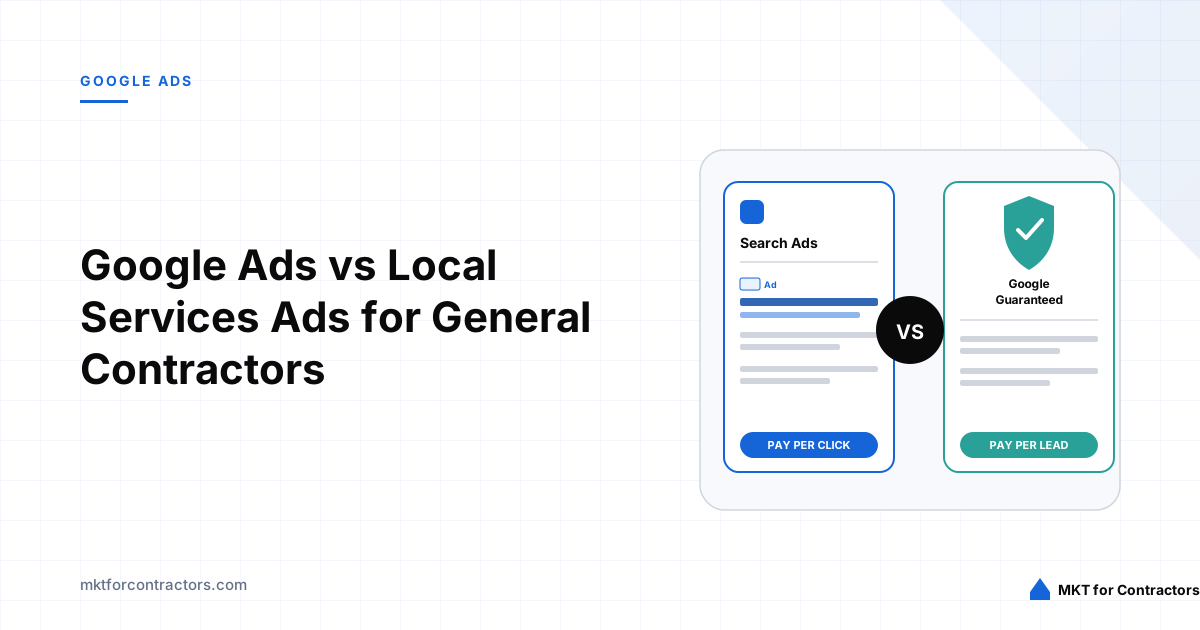
Google Ads vs Local Services Ads for General Contractors
Compare Google Search Ads and Local Services Ads to understand which platform offers the right combination of reach, control, lead quality, and profitability for your construction company.